Finally, I want to make sure my Google Site is de-cluttered for when I start my storybook project.
I had already removed my search box, since it isn't really necessary. I then made sure that my titles were exactly how I wanted them. My next step was to remove the comment boxes at the bottom of each page. I also suppressed any subpage links that had been created. Finally, I checked to make sure that my images (I currently only have one) has a good size and its info is included somewhere on the page.
This will be a tech tip that I use continually throughout the semester as I work on my storybook. For instructions on how to do each of the above steps, check out this post from my professor.
To view my de-cluttered website, click here!
Showing posts with label Tech Tip. Show all posts
Showing posts with label Tech Tip. Show all posts
Wednesday, January 20, 2016

Tech Tip 14: Google Site Video
As I near the end of the creating/customization of my Google site, I wanted to learn how to include a musical background/video. I chose a video of Indian classical music, because the calm/serene vibe of the music is a good accompaniment for reading.
You can view the video on my Google Site here!
Tech Tip 13: Site Page Design
My next step in designing my Google site was to arrange the site page layouts. For now, I just have the cover page and into page. The cover page is just a simple "one column" layout, since there is just a picture right now. However, for my intro page, I will be leading into some other sections (I am guessing three for now), so I went with the "three column" layout. This gives a section to introduce the storybook, talk about each section, and then put in a piece to transition into the other sections.
I think for my other sections I will either go with the "one column" or "two column" (advanced, not simple) layouts, because the broken up pieces will go nicely with my writing style.
You can see how I arranged my site page layouts here!
I think for my other sections I will either go with the "one column" or "two column" (advanced, not simple) layouts, because the broken up pieces will go nicely with my writing style.
You can see how I arranged my site page layouts here!
Tech Tip 12: Site Navigation
Moving on to the navigation panel on my Google site...
I had to decide whether I liked vertical or horizontal navigation better. I personally prefer the look of vertical navigation. I also tend to have longer titles (which doesn't fit well for horizontal navigation). I messed around with the horizontal option, as well as putting the vertical sidebar on the right, but the traditional vertical, left-sidebar option felt like the best fit for me.
If you would like to try your hand at changing the navigation panel on your Google site, you can use these instructions!
And here is my website!
Tech Tip 11: Theme
After creating my site and formatting the titles, it was time to choose a template/theme to go along with the website.
I started by going to the "manage site" option, and browsing through themes. I wanted something that subtly hinted towards Indian culture, art, religion, etc. Ultimately, I wanted it to look classic and put-together. I chose to completely change everything - font, pictures, colors - to make sure I had it just the way I wanted it. I will continue editing it throughout the process until it is just right, but for now it works.
You can visit my Out of the Book website here.
Tech Tip 10: Google Site Title
The next tip in creating my Google site was to edit the titles. First, I chose to suppress the Search box, as I felt like it detracted from the overall feel of my website. I also centered my site title and suppressed the sitemap link. The site title "Out of the Book", is a reference to what I think I will be doing my storybook project on (getting out of the book and exploring new possibilities - it also just so happens to go nicely with my last name).
I made the homepage title simply read "By Morgan Bookout", which may get changed. Many of these things will depend on how things progress with the project. But overall, I really like the look of my storybook website!
You can find it here.
I made the homepage title simply read "By Morgan Bookout", which may get changed. Many of these things will depend on how things progress with the project. But overall, I really like the look of my storybook website!
You can find it here.
Tech Tip 09: Website
The final series of tech tips will be creating a Google Site for my storybook, and then customizing that site. For the ninth tip, I did the actual creating! Getting it all set up was quite easy, and I can see myself utilizing this for personal use eventually. You can visit my my website here!
Tuesday, January 19, 2016
Tech Tip 08: Pinterest Sidebar
To finish up my Pinterest-centered tech tips, I added a sidebar containing my Pinterest board: Indian Epics Portfolio (to the right). I have pins on several different art pieces, influenced by Indian Epics. I am specifically looking into Vishnu, as I believe I will center my portfolio on him. If you wish to also add a Pinterest sidebar to your Blogger, you can follow these steps!
Tech Tip 07: Pinterest Browsing
As I mentioned earlier I went ahead and installed a Pinterest Browser Button (I recommend you do it to, follow these instructions). This little button is a pinner's dream! I never realized how easy pinning websites could be. I have been using Pinterest for years...but it seems like I have been using it all wrong!
Here is one of the pins that I made using the browser button option.
Here is one of the pins that I made using the browser button option.
Tech Tip 06: Embedded Pin
Tech Tip 04, 05: Pinterest Board, Embedded
It seemed to me that having a Pinterest board for this class would be very useful, so for my fourth tech tip, we will create a board. I already have a Pinterest account, so I just went to my profile and clicked the "create a board" button. I labeled my board "Indian Epics Portfolio". I have added several pins that called out to me, as well as pinning two wiki pages. I went ahead and installed a browser button, since I actually use Pinterest a lot. I love crafting, and use it to find inspiration for my quilling pieces (it is fun to compare you own art with that of others).
To add another tip in, I also learned how to embed a board into a post. Here is my Pinterest board: Indian Epics Portfolio
To add another tip in, I also learned how to embed a board into a post. Here is my Pinterest board: Indian Epics Portfolio
Tech Tip 03: Weather Widget
The third tech tip learning how to add the weather to my blog sidebar.
*As a side note, I am working on a yearlong project of quilling a piece that is influenced by the weather (temperature, specifically) from each day. So this little weather sticker will be useful for keeping track of that!
I simply went to the Weather Sticker website, chose my location, picked a sticker, and then copied it into a gadget. For a detailed explanation, you can view my professor's blog post on inserting the weather widget into Blogger.
Tech Tip 02: Embedded YouTube
For the next tech tip, I learned how to embed a YouTube video in a Blogger post! To add a video, I first had to find a YouTube video that caught my eye. I chose a cat playing peek-a-boo for obvious reasons (too stinkin' cute!!!). After that, its a simple copy/paste job. Here is the video:
You can also see it in my Introduction Post!
Tech Tip 01: Blogger Templates
I will be doing a series of Tech Tips, which will enhance my blog and may also be of use to readers! For this tech tip, I customized my Blogger template. This included changing the background, adjusting widths, tinkering with my color scheme, and arranging different sidebars!
I went went the template "Awesome", with a travel image for a background. I think it gives the blog the feeling over adventure and experiencing something new, which is what this class seems to be about! I also changed the width of the blog and left/right sidebars. I made sure the actual blog was wide enough to easily see photos, but not too wide so that you couldn't easily see everything. I just moved the layout around a little bit, making sure that my Blog Archive was in a position so that you can easily read each of the post titles. Finally, I changed some of the advanced settings - making some fonts bigger, some colors darker.
The overall goal of this tech tip was to customize my Blogger template so that it really captured the feel of what I want my posts to give. I think it has a nice cohesiveness to it, and it reflects who I am and what I put into this blog!
Wednesday, January 13, 2016
Introduction to an Adventurer
Introducing Myself!
Hello! My name is Morgan. It is my senior year here at the grand ole’ University of Oklahoma, and I am majoring in Petroleum Engineering. I chose PE because I love math and am obsessed with rocks. I have a rock/fossil collection with over 100 rocks! This past summer I had an internship with a small oil company, and was able to find, drill, and produce my very own well!
 |
| The birthplace of the reflection seismograph, taken by my boss Travers Boughdadly |
When I grow up (which happens in about four months), I want to be a Petroleum Engineer. I will be working for Schlumberger as a field engineer doing Wireline Operations. In June I will be travelling to Abu Dhabi for training (about 3 months), and then I will be at Tyler, Texas for a bit! For about three years I will be in a rigorous training program, and then after that I plan on either moving up within the company or moving on to an operator (an oil company that actually produces oil, like Devon or Chesapeake). In dream-land, I will eventually own an oil company – Bookout Petroleum (name pending…it’s a little to “BP” for me).
While it does seem like I am a super-nerd, I also do fun things. For example, I am a member of Alpha Omicron Pi, where I served as the Standards Chair last year. This year I am actually living in the AOII house, which is quite the experience! I am also a Make-A-Wish wish granter, where I get to meet with kids and pretend to be their fairy godmother!! In all actuality though, I get to meet children with life-threatening illnesses, and then I get to grant their most heartfelt wish! So far, I have been able to send one girl to Disney World and another to Hawaii.
While it does seem like I am a super-nerd, I also do fun things. For example, I am a member of Alpha Omicron Pi, where I served as the Standards Chair last year. This year I am actually living in the AOII house, which is quite the experience! I am also a Make-A-Wish wish granter, where I get to meet with kids and pretend to be their fairy godmother!! In all actuality though, I get to meet children with life-threatening illnesses, and then I get to grant their most heartfelt wish! So far, I have been able to send one girl to Disney World and another to Hawaii.
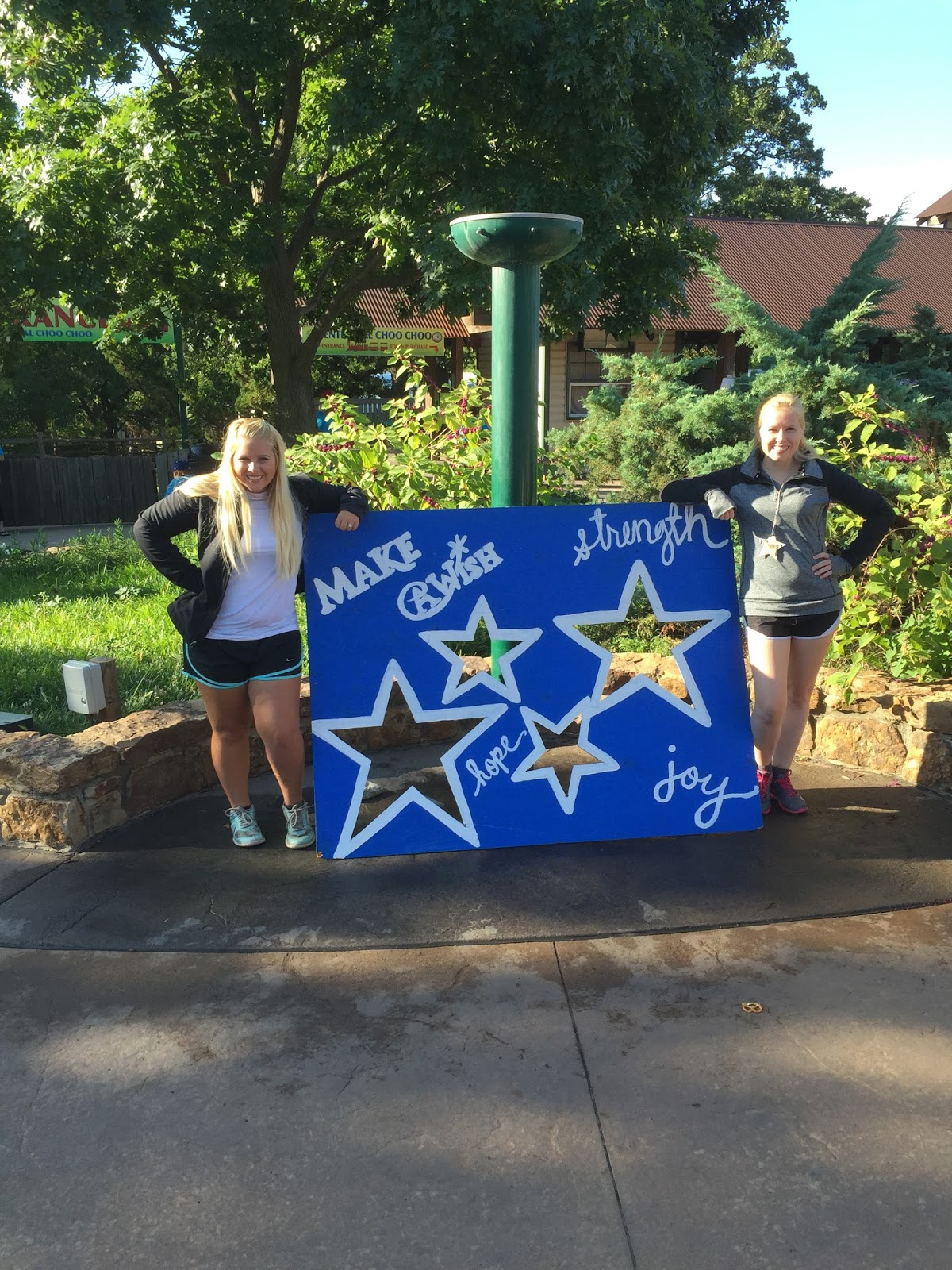 |
| My sister and I at a walk for Make-A-Wish, taken by Dalton Westmoreland |
My all-time favorite thing to do in my free time is crafting. I am into a neat paper-art called quilling. You basically wrap thin sheets of paper into shapes and create anything you want. I center my art on things that really inspire me - like nature or famous paintings.
 |
| My Luna Moth |
 |
| My Quilled Aquarium |
 |
| The Starry Night, in progress |
 |
| I just did this fish on 3/6, and am making a how-to post. I will link that in later! |
My interests a extremely varied, and I think the following phrase fits me quite well: "Jack of all trades, master of none, though oftentimes better than master of one."
And because nothing is better than a cat video, here is my favorite (Cute Cat Peek-A-Boo!):
Subscribe to:
Posts (Atom)